Nginx in front of Gunicorn
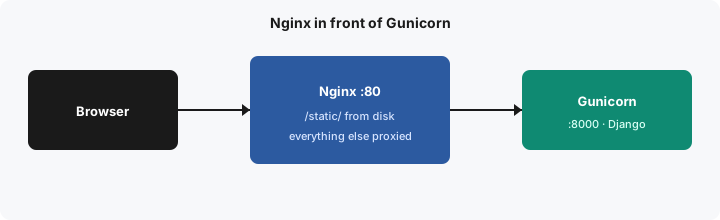
Nginx is the process on port 80. It serves files from disk and proxies everything else to Gunicorn. The browser never opens port 8000.
server {
    listen 80;

    location /static/ {
        alias /app/static/;
    }

    location / {
        proxy_pass http://web:8000;
        proxy_set_header Host $host;
        proxy_set_header X-Real-IP $remote_addr;
        proxy_set_header X-Forwarded-For $proxy_add_x_forwarded_for;
    }
}
alias /app/static/ is the directory collectstatic filled, mounted into the Nginx container. web is the Docker network name of the Gunicorn container. On one host without Docker, that line is http://127.0.0.1:8000 instead.
The three proxy_set_header lines are how Django learns the original host and the client address. Without Host, redirects and absolute URLs use the internal name. Without the forwarded headers, every visitor looks like Nginx.
A rate limit belongs here too, on the proxied location, because Nginx is the door. It does not belong in Gunicorn. HTTPS is a second server block in a later lesson. This one is only the split between files and the application.